From Capture to Final Image

Photo Retouching

Here’s where the magic happens. Skin is refined, color is balanced, distractions disappear, and the strongest parts of the photograph come forward. Some images need a light touch. Others need a full transformation. The result should feel polished, intentional, and completely believable.

FAMILY MATTERS

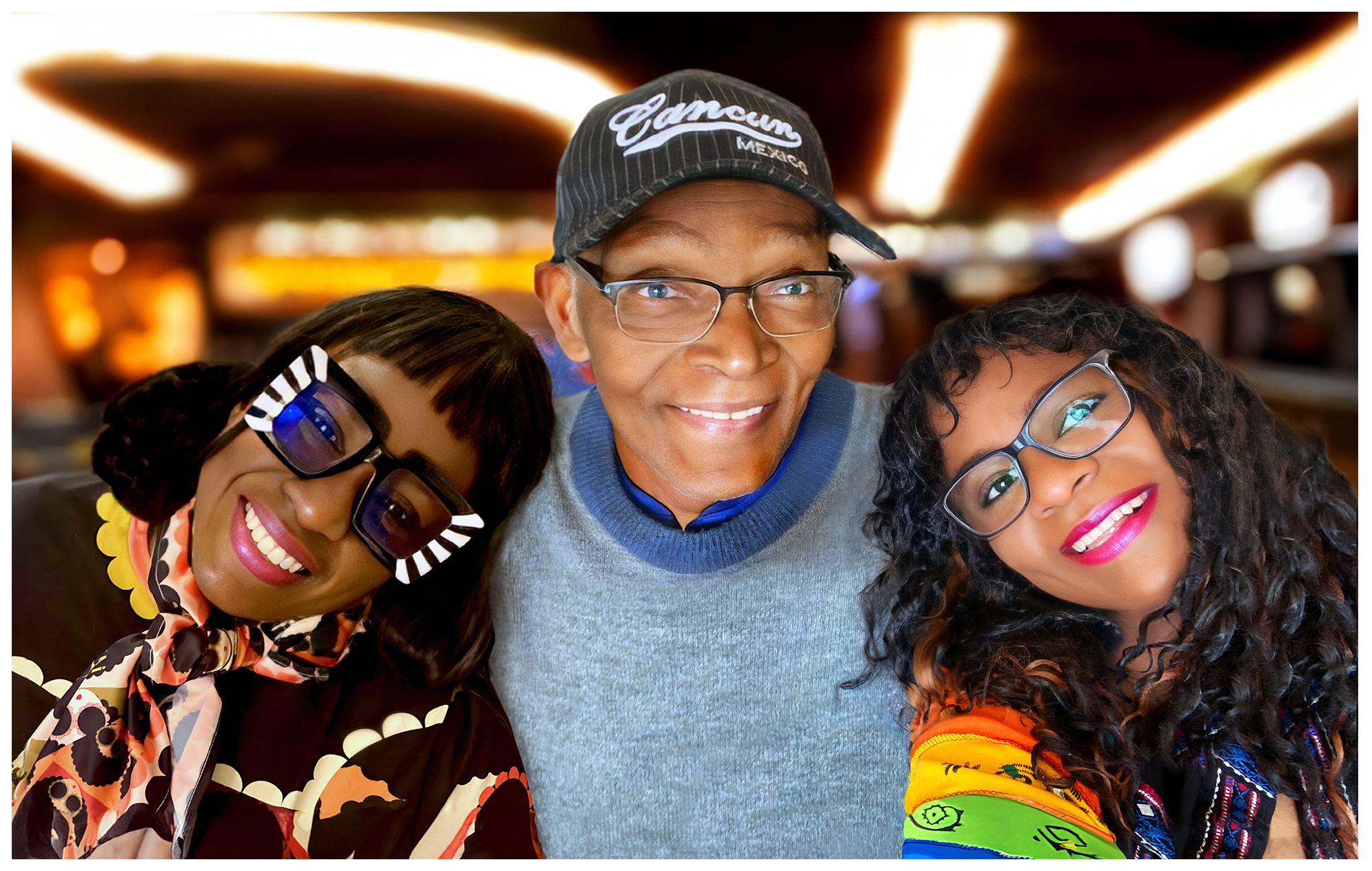
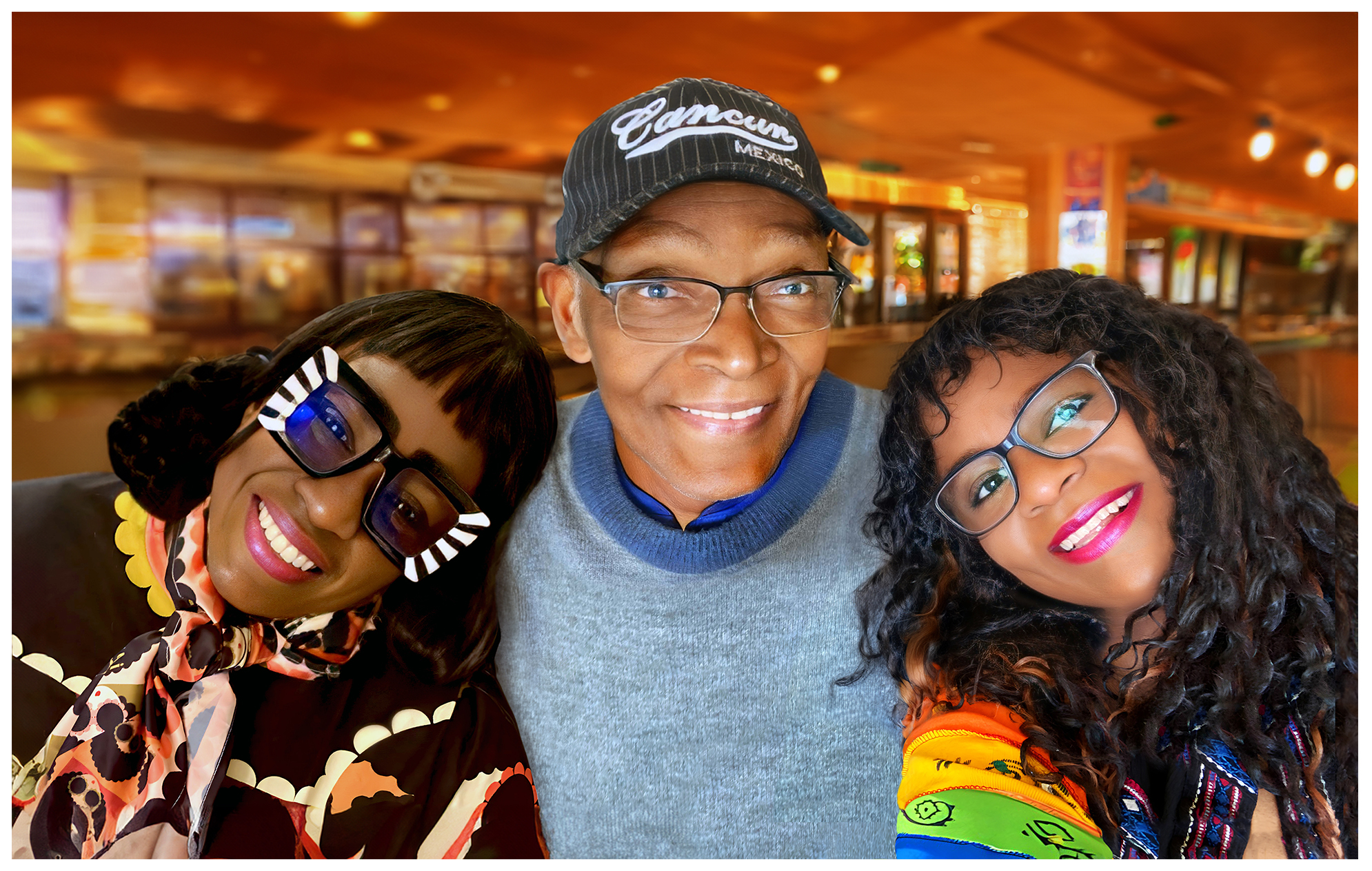
As a Christmas gift for their 89-year-old father, two Caribbean sisters wanted a large 24 X 18-inch canvas portrait commemorating their visit with him in Canada. Two photographs from the visit were enhanced, their backgrounds removed, and the images seamlessly combined into one cohesive family composition, with a new AI generated background.
FAMILY MATTERS photo retouching example 1 — Webphotographix
FAMILY MATTERS photo retouching example 2 — Webphotographix
FAMILY MATTERS photo retouching example 3 — Webphotographix
FAMILY MATTERS photo retouching example 4 — Webphotographix

What Was Done

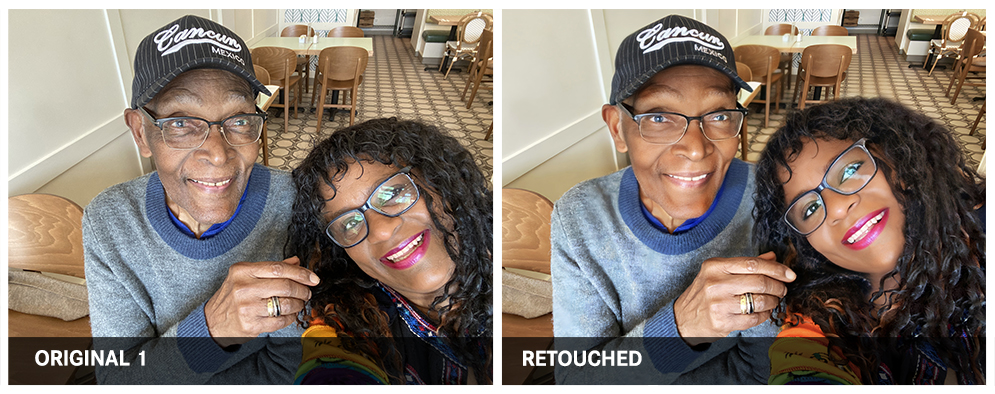
  • Both photos were enhanced through the Remini.ai Web Application, so as to improve image clarity and quality.
  • Then both photos were retouched in Adobe Photoshop.
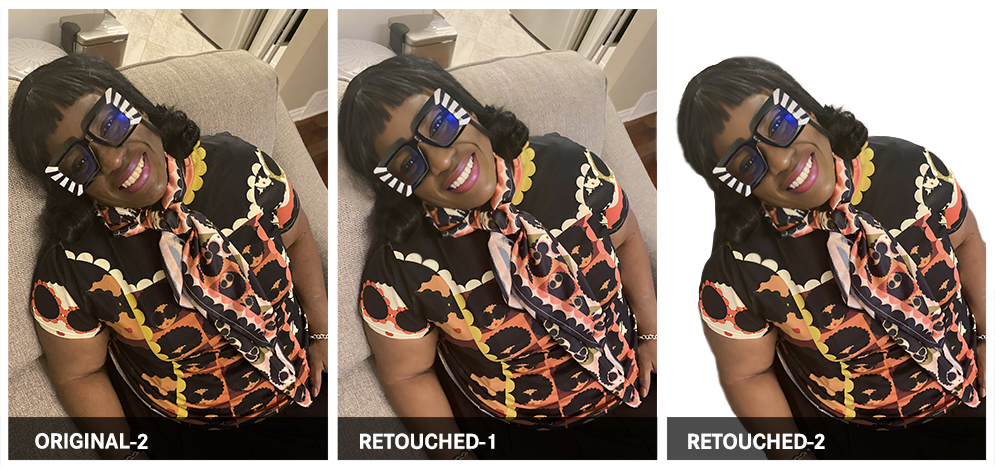
  • The enhanced Original-1 photo was then duplicated, where the image background and father were removed. Her face was then skewed to correct the perspective, and her face then reshaped. It was then combined with her dad's enhanced photo.
  • On selected areas, the Healing Brush and Generative-AI tool were used to remove skin blemishes and smooth uneven skin tone. Then, the same process was used for the Original-2 photo.
  • The enhanced Original-2 photo (See RETOUCHED-1), was then flipped horizontally and combined with the enhanced Original-1 photo.
  • With the two photos combined, all backgrounds were removed, highlights and shadows adjusted, so as to ensure that the light direction and shadows fell where they should, IF the image were originally one photo instead of two photos combined, into one cohesive composition.
  • Then new backgrounds were created using Photoshop's Generative-AI tool, with the keyword AI prompt: 'Blurred diner background'.

PHOTOGRAPHY AND RETOUCHING DONE BY GISELLE WHITE OF WEBPHOTOGRAPHIX