
From Capture to Final Image

Photo Retouching

Here’s where the magic happens. Skin is refined, color is balanced, distractions disappear, and the strongest parts of the photograph come forward. Some images need a light touch. Others need a full transformation. The result should feel polished, intentional, and completely believable.

Photo Retouching

CARIBBEAN SISTERS

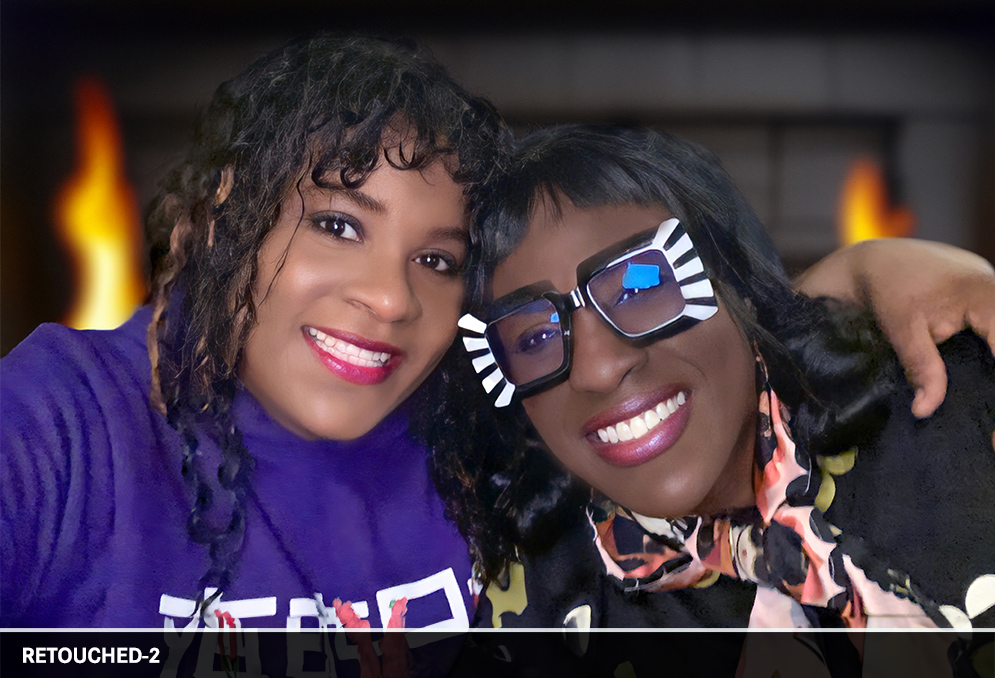
A spontaneous portrait of two Caribbean sisters presented different retouching needs. On the left, intense tropical heat had caused makeup to separate and emphasize skin texture; on the right, smoother darker skin required lighter correction. Post-production work balanced both portraits, improving skin texture and lighting while keeping each sister's natural appearance.
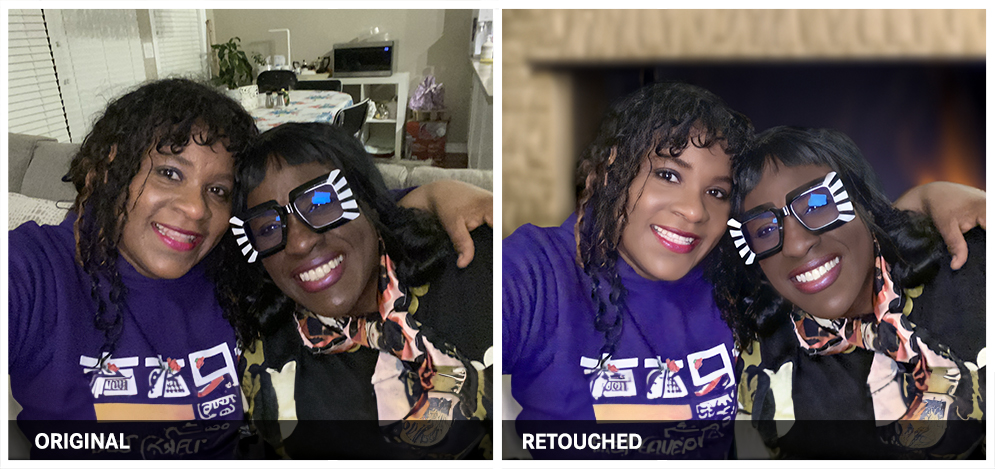
CARIBBEAN SISTERS photo retouching example 1 — Webphotographix
CARIBBEAN SISTERS photo retouching example 2 — Webphotographix

What Was Done

  • To create natural, healthy-looking skin tones in Adobe Photoshop , various color samples were made of the subjects' skin. The airbrush tool was used to smoothen uneven skin tone.
  • The shadows were lightened, so as to reveal the hidden detail.
  • The healing-brush tool was then used to remove skin blemishes.
  • The brightness-contrast and exposure levels were adjusted to reintroduce some of the natural light fall against the skin.
  • The retouched image was then passed through Remini AI's photo-enhancer, to make the image slightly bigger with better image qualiy.
  • When a suitable retouched photo was achieved, its background was then selected and passed through Photoshop's Generative AI filter to create various image backgrounds, so as to hide the more cluttered, original kitchen and living-room background.

PHOTOGRAPHY AND RETOUCHING DONE BY GISELLE WHITE OF WEBPHOTOGRAPHIX