
From Capture to Final Image

Photo Retouching

Here’s where the magic happens. Skin is refined, color is balanced, distractions disappear, and the strongest parts of the photograph come forward. Some images need a light touch. Others need a full transformation. The result should feel polished, intentional, and completely believable.

Photo Retouching

Textile and Fashion Designer, Renee

Renee is a fashion, apparel-graphics, and engineered-textile designer who wanted to move from everyday presentation to a more glamorous fashion-forward look. The original photograph was soft and washed out, so the retouching focused on improving clarity, contrast, lighting, and overall polish.
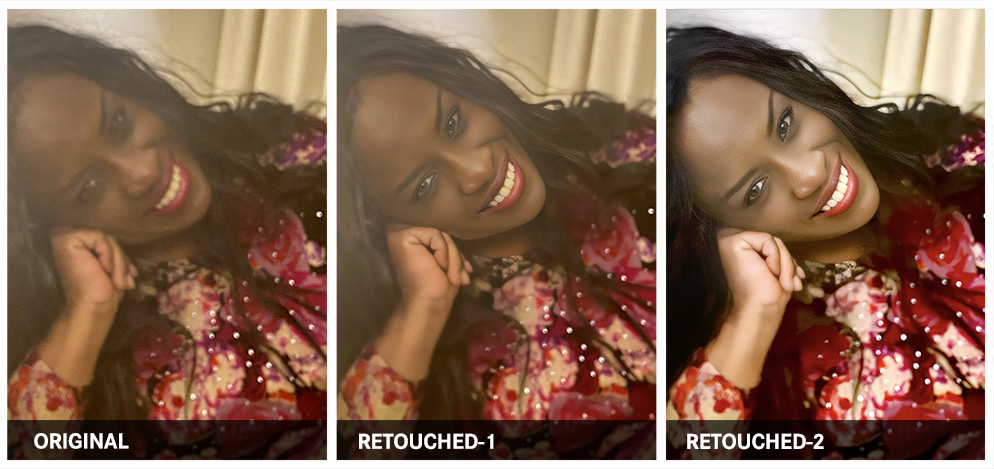
Textile and Fashion Designer, Renee photo retouching example 1 — Webphotographix
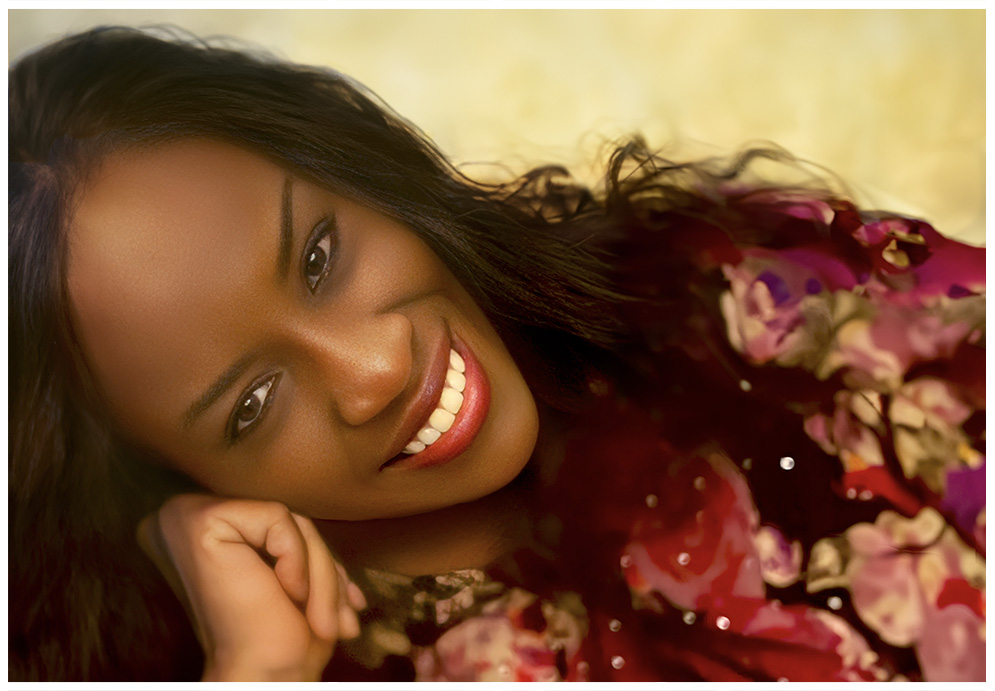
Textile and Fashion Designer, Renee photo retouching example 2 — Webphotographix

What Was Done

  • The photo was enhanced through the Remini.ai Web Application , so as to unblur and sharpen the image.
  • Then, in Adobe Photoshop , the image was duplicated and multiplied by 30% to increase the black levels. The image was then merged with the original enhanced image.
  • This image was then duplicated, with the contrast set to a 50% Overlay, so as to improve the photo's contrasts, and reveal hidden details. The image was then merged with the duplicated photo in 2.
  • To create natural, healthy-looking skin tones, various color samples were made of the subject's skin. The airbrush tool was used to smoothen uneven skin tone.
  • The healing-brush tool was then used to remove skin blemishes.
  • The brightness-contrast and exposure levels were used to bring in some vibrance and light falling naturally against the skin.
  • Then new backgrounds were created using Photoshop's Generative-AI tool, with the key words: 'Blurred background'.

PHOTOGRAPHY AND RETOUCHING DONE BY GISELLE WHITE OF WEBPHOTOGRAPHIX