
From Capture to Final Image
Photo Retouching
Here’s where the magic happens. Skin is refined, color is balanced, distractions disappear, and the strongest parts of the photograph come forward. Some images need a light touch. Others need a full transformation. The result should feel polished, intentional, and completely believable.
Staff Photo of Karen
Staff portraits can be difficult under harsh tungsten lighting. This image required tonal and skin corrections to create more natural-looking light, reduce blemishes and distractions, and restore healthy skin colour.
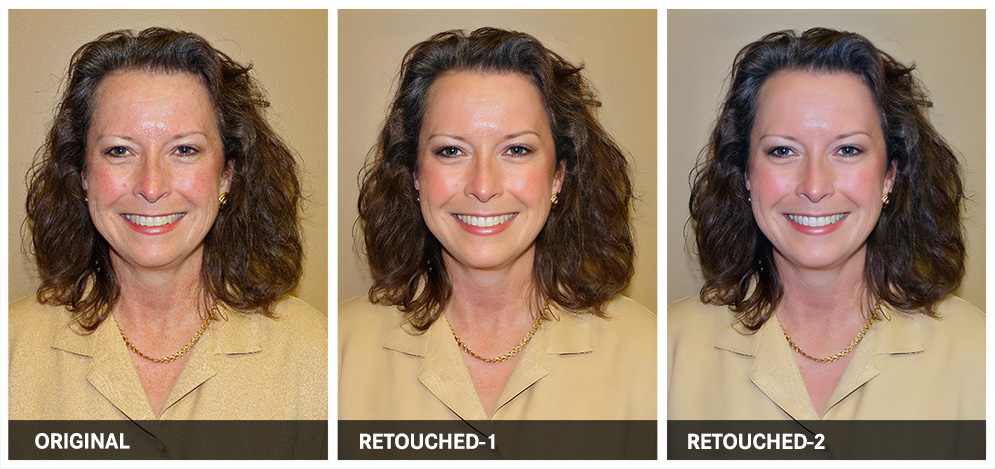
What Was Done
PHOTOGRAPHY AND RETOUCHING DONE BY GISELLE WHITE OF WEBPHOTOGRAPHIX