
From Capture to Final Image
Photo Retouching
Here’s where the magic happens. Skin is refined, color is balanced, distractions disappear, and the strongest parts of the photograph come forward. Some images need a light touch. Others need a full transformation. The result should feel polished, intentional, and completely believable.
Photo Retouching
Student Model, Jeriel
Jeriel photographed naturally well, with strong bone structure and an easy presence in front of the camera. Only light retouching was needed, primarily to soften shadows, recover blown highlights, and refine small skin imperfections.
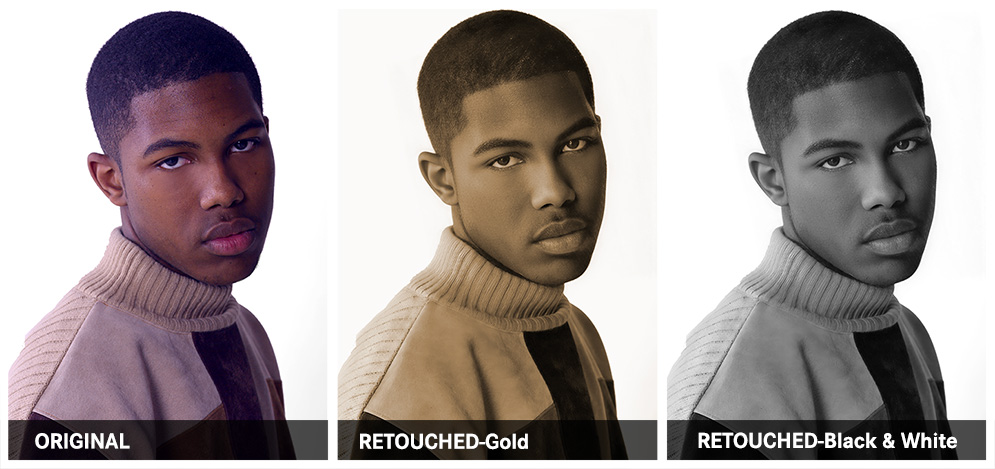
What Was Done
PHOTOGRAPHY AND RETOUCHING DONE BY GISELLE WHITE OF WEBPHOTOGRAPHIX